Introduction

Running a business these days without some form of automation is kind of like trying to cook dinner while putting kids to bed, folding laundry, and replying to emails. Something’s bound to burn (probably dinner). Whether you’re a solo entrepreneur juggling every hat or leading a small team, efficiency isn’t just a nice-to-have — it's survival.
That’s where automation tools step in. Automation tools help you do more in less time. These tools are designed to cut down on repetitive tasks that eat away at your day. But — let’s keep it real — not all automation tools are created equal. Some are lifesavers, and others are just extra noise.
In this article, we’re diving into the best-of-the-best automation solutions for small businesses and entrepreneurs, with practical breakdowns so you can find what actually works for you.
The Role of Automation Tools
Automation tools—when used smartly—are the extra set of hands we all wish we had.
At its core, automation is about getting more done with less stress. Tools that automate routine tasks—think scheduling posts, sending email follow-ups, moving leads through a sales funnel—pull hours back into your day so you can focus on the big things (like landing new clients, scaling your biz, or maybe just getting dinner on the table before 8pm).
But it’s not just about saving time. These tools also drastically reduce human error (no more copying and pasting the wrong name in an email) and improve consistency in how your business operates—whether you're a team of one or managing a small crew.
And here's the kicker—automation doesn't mean turning into a robot. It just means putting certain tasks on autopilot so you can stay focused on the human parts of your business: creativity, relationships, and decision-making. In a world where burnout is just a Slack ping away, anything that lifts a few tasks off your overflowing plate is a win.

Best Automation Tools for Businesses
Let’s cut through the noise and focus on the automation tools that are actually worth your time (and your subscription fees). There’s no one-size-fits-all solution, so we’ve organized these top picks by category — because your social media strategy doesn’t need the same setup as your customer service.
🤝 CRM (Customer Relationship Management): HubSpot
Who it's for:
Solo entrepreneurs, growing teams, agencies, service-based businesses.
Why it stands out:
Robust free plan with deal pipelines, email tracking, and basic automation
Scalable features that grow with your business
Clean interface that’s beginner-friendly
Helps you stay on top of leads and client communication
📱 Social Media Automation: Buffer & Later
Overwhelmed trying to post everywhere at once? These tools can help:
Buffer
Great for B2B or service-based brands
Supports multiple platforms: Facebook, LinkedIn, Twitter, Instagram
Offers analytics, post-scheduling, and engagement tools
Later
Ideal for visual brands (Etsy sellers, small boutiques)
Drag-and-drop calendar for Instagram visuals
Includes hashtag suggestions and visual planning
✉️ Email Marketing: Mailchimp
Best for:
Product-based businesses, coaches, consultants, subscription services.
What you get:
Easy-to-build automated email funnels
Segmentation tools to target the right audience
Eye-catching templates (no design skills needed)
Helpful reporting features to track campaign performance
🛒 eCommerce Automation: Shopify + Klaviyo
Perfect pairing for online stores looking to automate marketing + operations.
Shopify
All-in-one solution for running your e-commerce storefront
Extensive plugin ecosystem for flexibility and scale
Klaviyo
Powers email + SMS automation
Prebuilt templates for abandoned carts, welcome flows, and much more
Syncs seamlessly with Shopify for real-time behavior tracking
🔗 All-in-One Integration: Zapier
Zapier quietly does the work behind the scenes by connecting your favorite tools — no code needed.
Use cases include:
Syncing new leads from Facebook Ads to Google Sheets
Triggering Gmail emails when a form is submitted
Connecting project management, CRM, email, and more
Best for:
Businesses juggling multiple apps that need smarter workflows.
📋 Team Collaboration & Task Automation: Trello + Slack Workflows
Great for small teams, entrepreneurs, and even families juggling a side hustle.
Trello
Visual task boards to manage ongoing projects
Assign roles, set deadlines, and track progress
Perfect for content planning or team collaboration
Slack Workflows
Automate check-ins or daily tasks
Send reminders and updates without manual input
Keeps communication flowing without micromanaging
🧩 Putting It All Together
The real magic happens when these tools work in harmony. Start small:
Automate a welcome email
Schedule your next week’s social posts
Set up a Trello board for your next launch
As your business grows, your automation can, too. Just remember:
💡 Automation isn’t about replacing the human side of your business — it’s about making space to show up more fully, creatively, and consistently.
Automation Tools for Small Business Productivity
Between managing clients, marketing, admin, and trying to squeeze in a lunch break, it’s no surprise that productivity can take a hit. The right automation tools can help you get more done in less time, without stretching your already tight resources.
Here are some small-business-friendly automation tools that are practical, budget-conscious, and actually work:
1. Zapier
Think of Zapier as the ultimate middle-man. It connects your everyday apps (like Gmail, Slack, Trello, etc.) and lets them talk to each other without you lifting a finger. Example: when a customer fills out a contact form on your site, Zapier can automatically add them to your email list and send you a Slack message. No coding. No stress. Just magic.
2. Trello + Butler
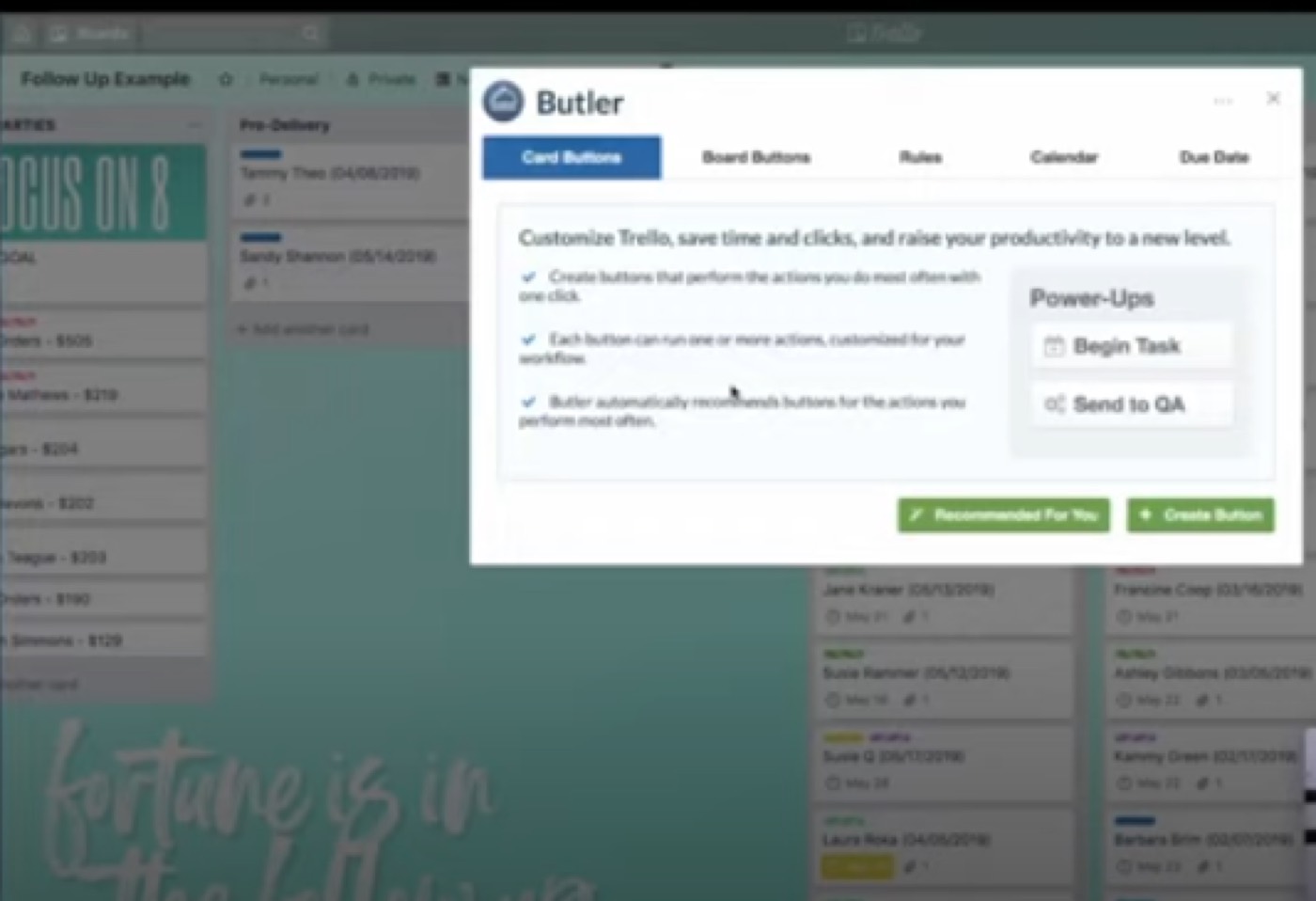
Trello is already a favorite for visual task management, but combine it with its built-in automation tool, Butler, and you’ve got a serious productivity booster. You can set up rules like "every time I move a card to 'Done', assign it a label or archive it in 3 days." It handles the repetitive stuff so you can focus on the actual work.
3. Mailchimp
Yes, Mailchimp does email marketing, but its automation is where it shines for small biz. You can set up automations for welcome emails, follow-ups after purchase, abandoned cart nudges—you name it. It’s especially helpful for service-based businesses and online shops running on shoestring marketing teams.
4. Calendly
No more back-and-forth emails to find a meeting time. Calendly lets people book slots based on your availability, and yes, it syncs with Google Calendar and sends reminders on its own. Service providers, coaches, and client-based businesses swear by it.
5. QuickBooks Online
For small business owners who dread bookkeeping, QuickBooks does more than just store numbers. Its automation features can categorize transactions, send recurring invoices, and even remind clients to pay (so you don’t have to awkwardly chase them).
6. Hootsuite or Buffer
Social media can be a full-time job, but it shouldn’t be taking all your time. With tools like Hootsuite or Buffer, you can schedule your posts in batches, track engagement, and manage multiple platforms from one dashboard. Great for small teams or solo entrepreneurs handling social media on their own.
Pro Tip: Start small. Pick one task that’s costing you too much time—be it email follow-ups, client scheduling, or social posts—and automate just that. Once you see the hours you get back, you’ll be hooked.
Conclusion
There’s a slew of DIY-friendly automation tools that do the heavy lifting so you can focus on growing your business—and maybe even finish your coffee while it’s still warm.
If you are not sure where to start, begin here:
There’s no one-size-fits-all solution—but there is a smart way to decide what you need.
Ask yourself:
What tasks are eating up too much time?
Where are things falling through the cracks?
What do you regularly wish someone else could “just handle”?
These answers will guide you to your ideal starting point.
★ Want this built for you? AutomateScale deploys the AI agent layer, funnels, and automations behind this — for agencies, SaaS founders, and coaches. Apply for a strategy call or subscribe to The Scale Brief.